The Health4Business Absence Management Tool helps organizations digitally record sickness-related absences, support employees throughout their absence, and provide managers and HR with a transparent overview.
Health4Business does not currently replace a comprehensive, rules-based absence management system, but it provides operational support to HR and managers through notifications, reminders, and relevant information.
The preventive absence support includes:
• Guided absence reporting
• Reminders of the expected return-to-work date
• Regular health check-ins
• Notifications about required medical certificates
• Suggested interventions (e.g. a brief check-in or health counseling)
• A transparent overview of past and ongoing absences
For Employees:
• Enables absence reporting anytime and from anywhere via the app
• Provides an overview of past absences
• Facilitates and improves communication with managers
• Supports employees in meeting their obligations through timely reminders, such as submitting a medical certificate (which can be uploaded directly in the app)
• Suggests interventions when needed (e.g. an invitation to contact health counseling services)
For Managers:
• Standardized absence process: employees record their absences in one central place
• All relevant stakeholders are informed immediately
• Overview of ongoing absences
• Highlights absence patterns that may require intervention
• Provides timely reminders to report an insurance claim when necessary
The Health4Business Absence Management Tool provides HR, managers, and health coordinators with a clear, data-driven overview of the most important metrics related to employee health, engagement, and absences. It helps identify trends early, plan targeted actions, and measure their impact.
Main Functions:
a. Active Absence Requests
• Real-time overview of all employees currently on sick leave
• Duration of each absence
• Absence status
• Intervention status (whether an invitation has been sent)
• Indication of whether a medical certificate has been submitted
• Overview of past absences at the employee level
SCREENSHOT 43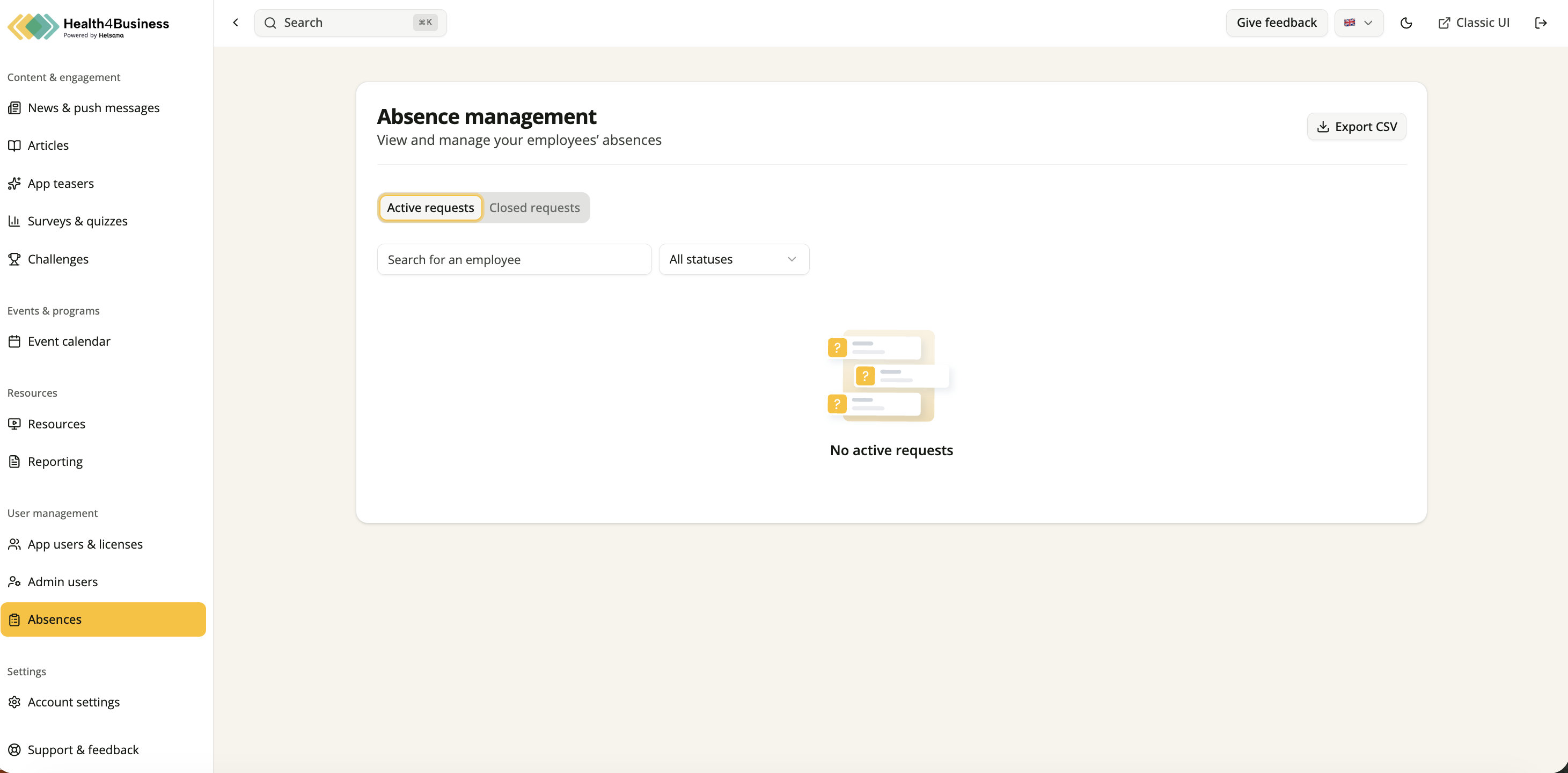
b. Absence Details
Managers have access to detailed information about each absence, including:
• Employee name
• Start date of the absence
• Expected return-to-work date
• Reason for absence (illness / accident / other reasons)
• Absence status (new, ongoing, completed)
• Indication of whether a medical certificate has been submitted
• Alerts for unusual patterns (e.g. frequent short-term absences)
• Mini interventions that have been suggested or accepted
Important: Managers do not have access to medical diagnoses or any sensitive health information.
SCREENSHOT 44
When reporting an absence, employees initially provide an estimated return-to-work date. Once the final return date is known, it can be updated. Shortly before the planned return date, employees receive a reminder to complete a health status check.
Notes regarding Medical Certificates:
• Medical certificates can be uploaded directly through the Health4Business app and are stored in the Health4Business back office.
• Documents are not automatically transferred to existing HR systems or personnel files.
• HR and managers can manually download the documents and store them in their own systems or personnel records if needed.
Interventions
Notes regarding interventions:
Health counseling is suggested to employees when unusual absence patterns are detected, for example:
• Multiple sickness-related absences within a defined period
• After returning to work, the employee receives a push notification recommending a mini intervention
• Participation is voluntary, and employees can choose whether or not to use the suggested support.
Health4Business includes predefined push notification and reminder workflows for employees that support HR and managers. These include, for example:
• Reminders to get in touch with their manager
• Regular health status check-ins
• Return-to-work confirmations after absences
• Invitations to mini interventions (e.g. a brief check-in or health counseling when unusual absence patterns are detected)
c. Reporting
In the Reporting section, you receive a clear and data-driven overview of all relevant metrics related to sickness-related absences within your organization. These reports help you identify trends early, detect unusual patterns, and derive targeted actions.
• Team absence rate
• Comparison of the team absence rate against the company benchmark
• Current absences within the team
• Average absence duration in the team
• Team intervention success rate (how many employees followed the suggested intervention)
SCREENSHOT 45
d. Employment Overview
In the Employment Overview section of the Absence Tool, you can store and manage your employees’ individual working schedules. This information forms the basis for the accurate calculation and analysis of absences.
Using the pencil icon, you can edit the working schedules of individual employees. By selecting the checkboxes on the left, you can choose multiple employees and update their working schedules in bulk using the “Edit All” function.
Was this article helpful?
That’s Great!
Thank you for your feedback
Sorry! We couldn't be helpful
Thank you for your feedback
Feedback sent
We appreciate your effort and will try to fix the article