Would you like to give colleagues from your company access to the Health4Business Backoffice? If so, you can create additional admin users.
Under “User Management,” navigate to “Admin Users” and click “Create New.”
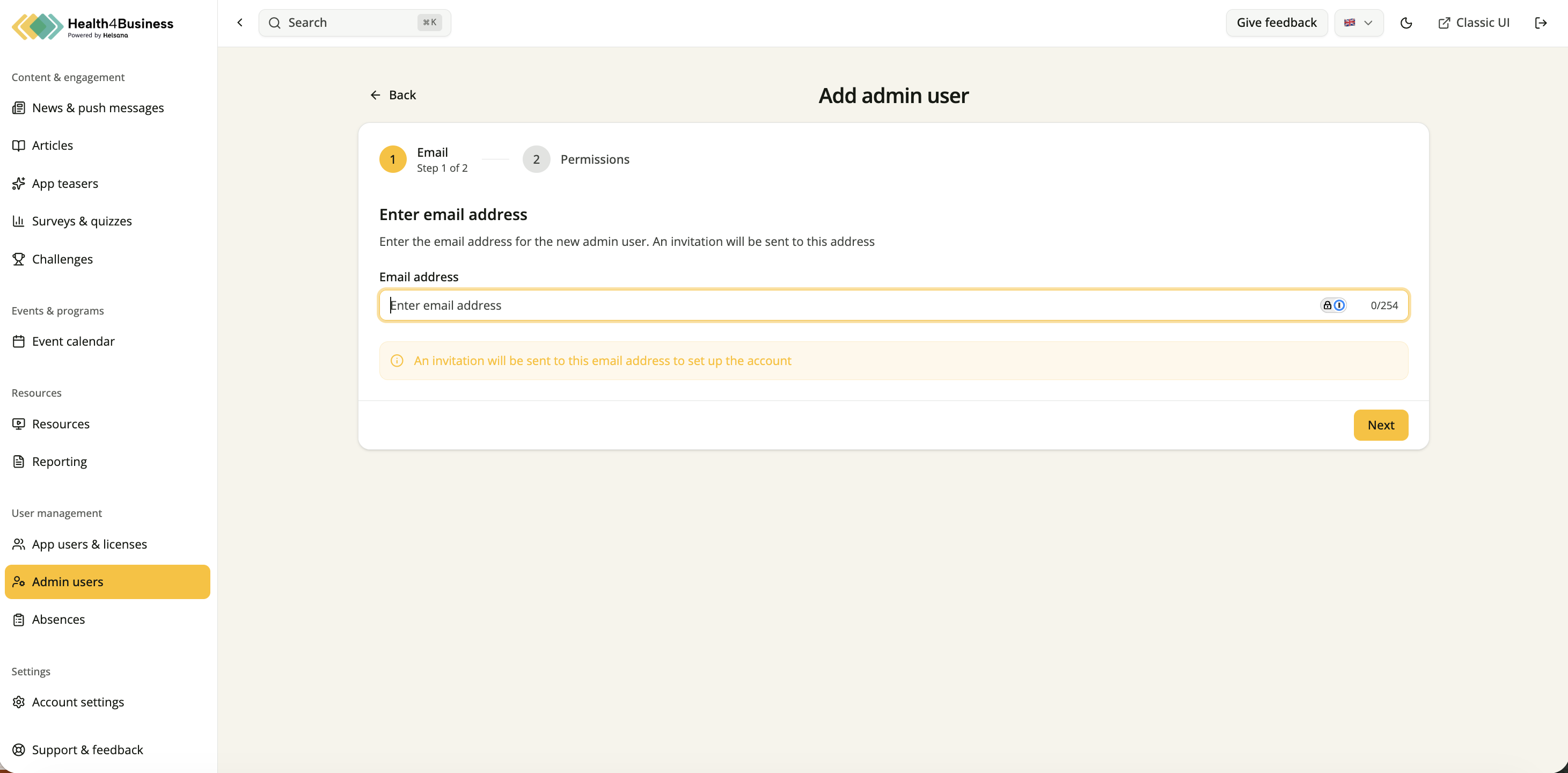
1. Enter email address
Enter the person’s email address and click “Next.”
2. Set permissions
Under “Permissions,” select one of the predefined roles.
Alternatively, under “Custom,” you can set individual access rights and customize the permissions.
Then click “Save User.”
An invitation will be automatically sent to the specified email address, allowing the new admin user to set up their account.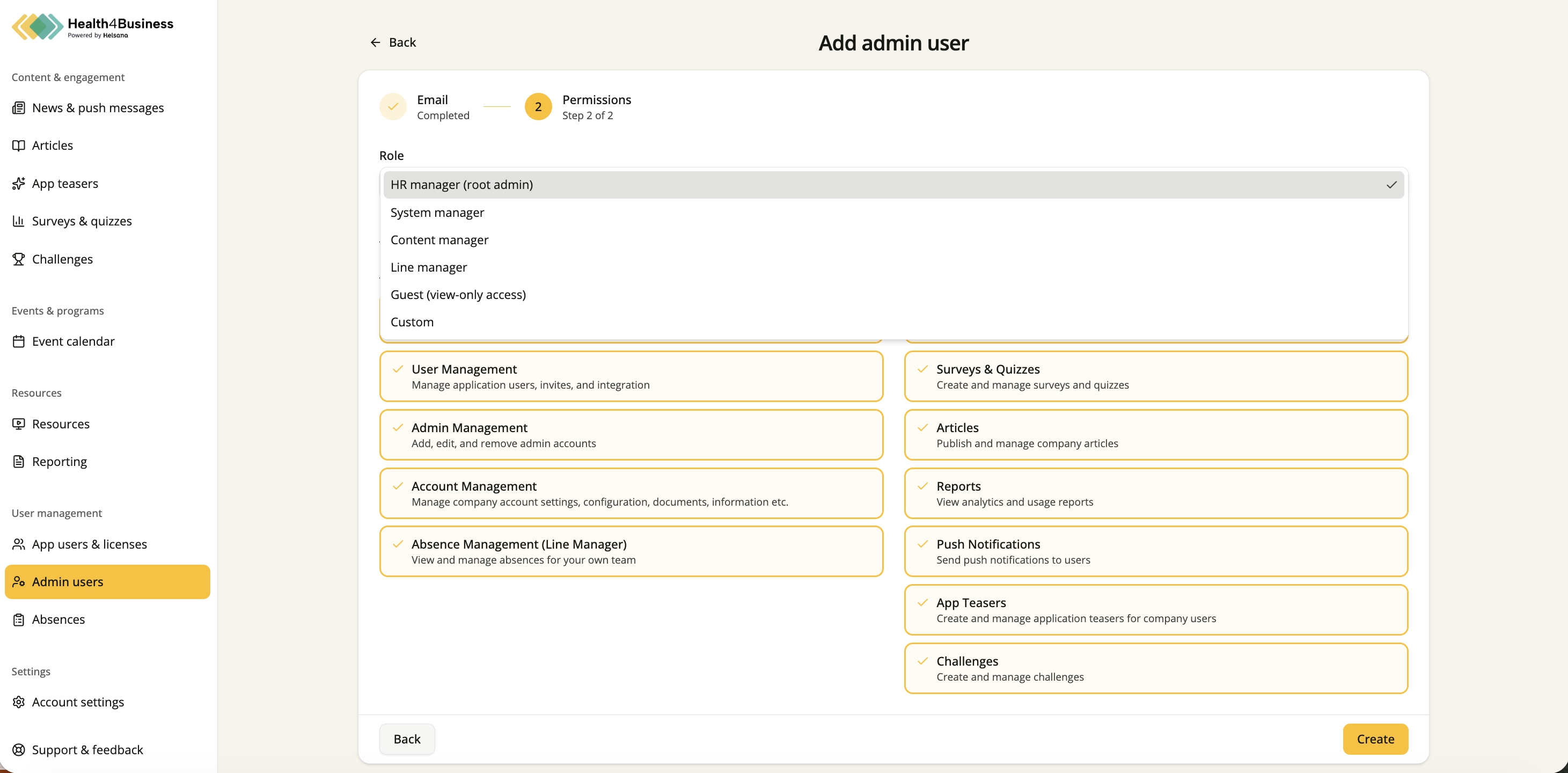
Delete an admin user
Navigate to the “Admin Users” overview and search for the relevant user.
Open the three-dot menu on the right and select “Delete.”
Then confirm the deletion.
Important: There must always be at least one admin user in the system.
If you are currently the only admin user and want to transfer responsibility to another person, use the edit function instead.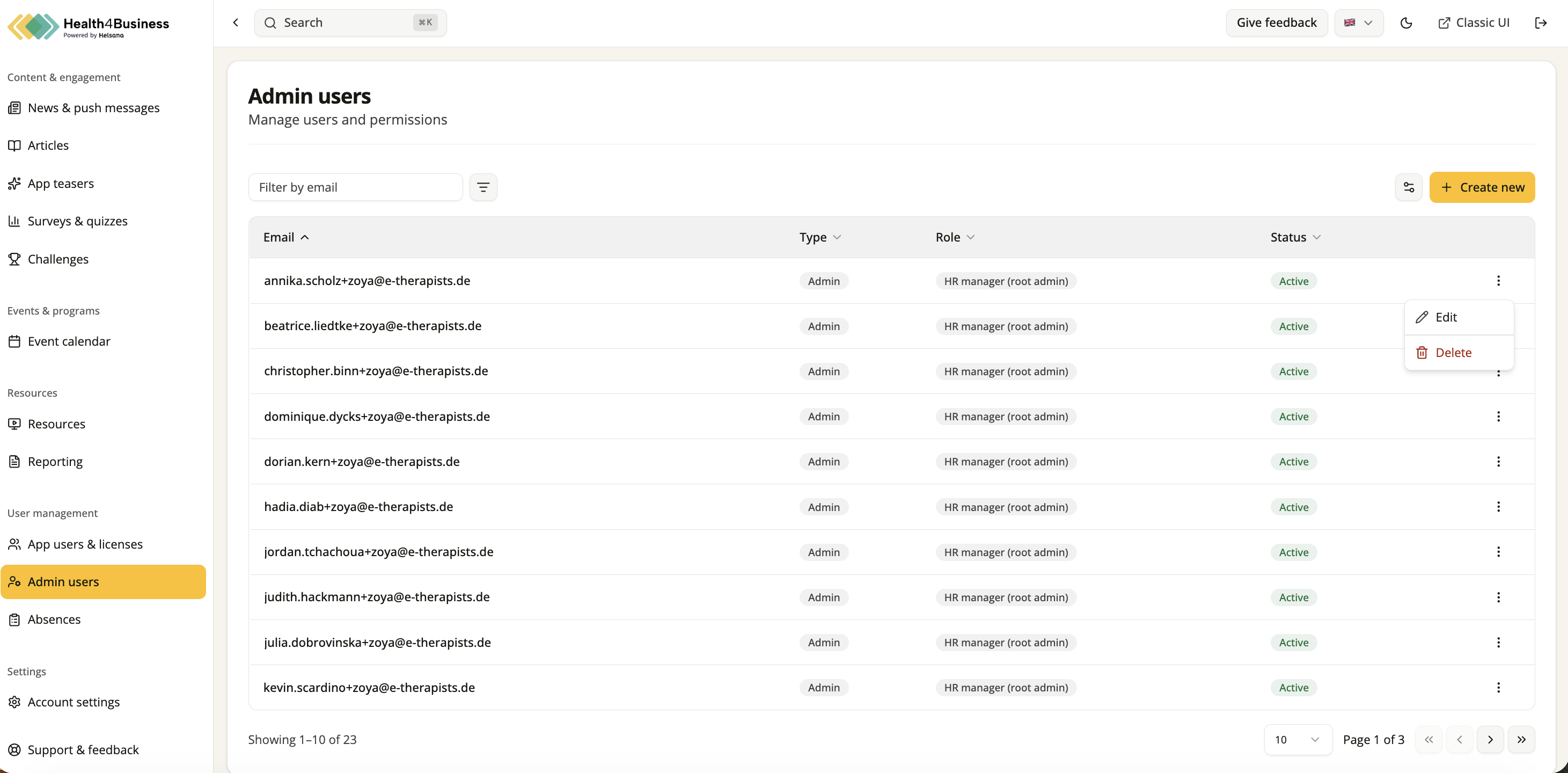
Was this article helpful?
That’s Great!
Thank you for your feedback
Sorry! We couldn't be helpful
Thank you for your feedback
Feedback sent
We appreciate your effort and will try to fix the article